QGIS Plugin
Need an easy way to prepare images for analysis? Need an easy way to map and share results? Use the official Asphalt Intelligence QGIS Plugin.
How to Install
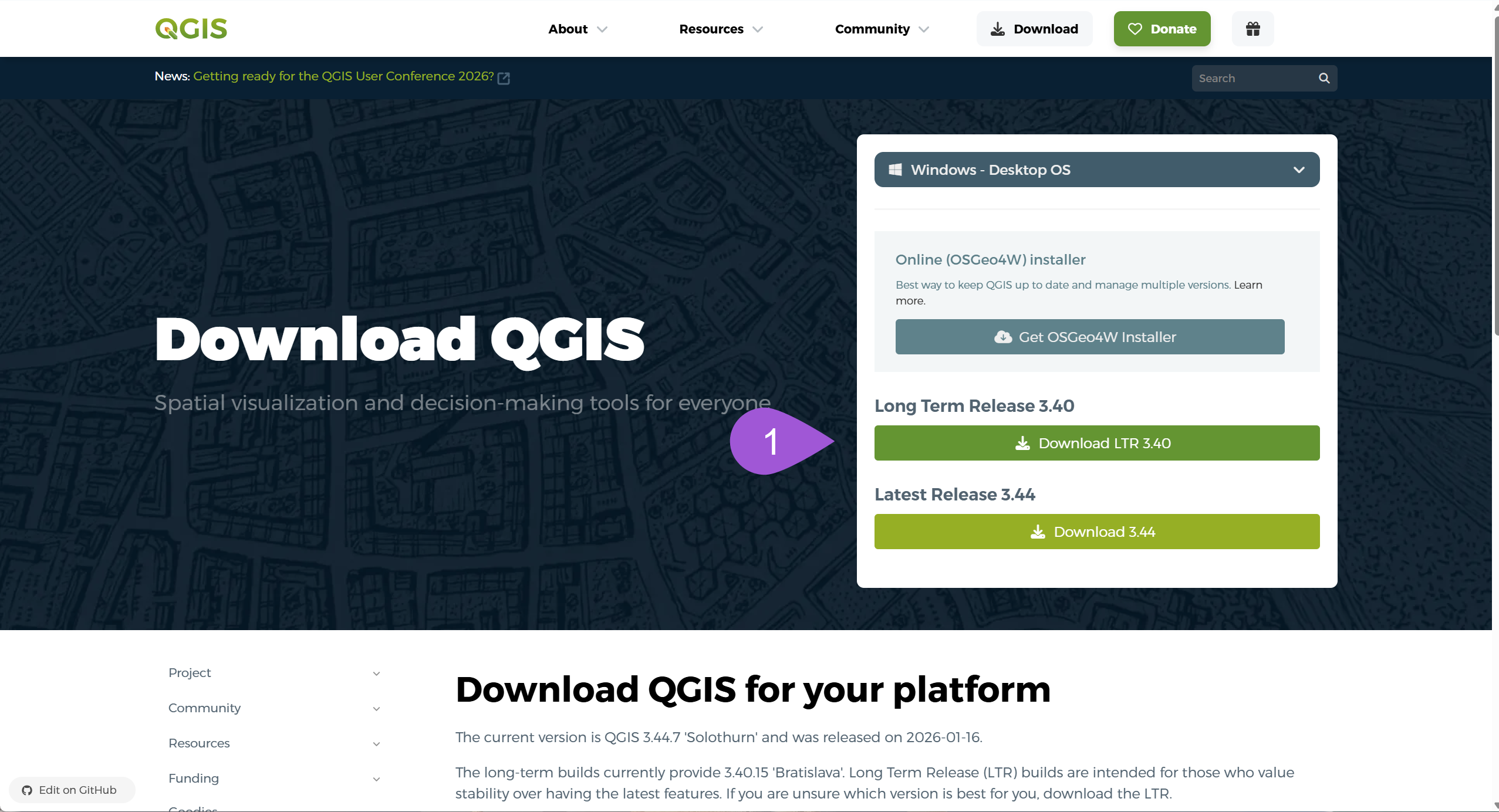
- Install QGIS Desktop Long Term Release qgis.org/download .
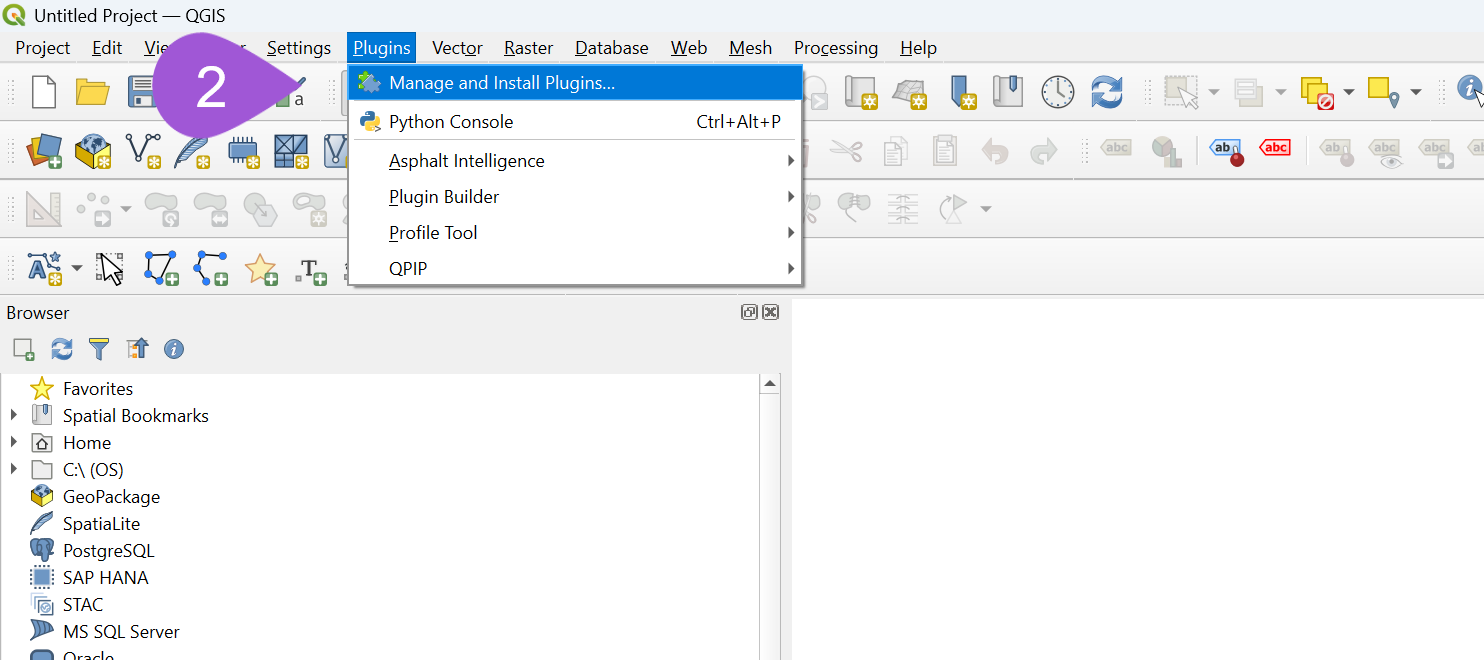
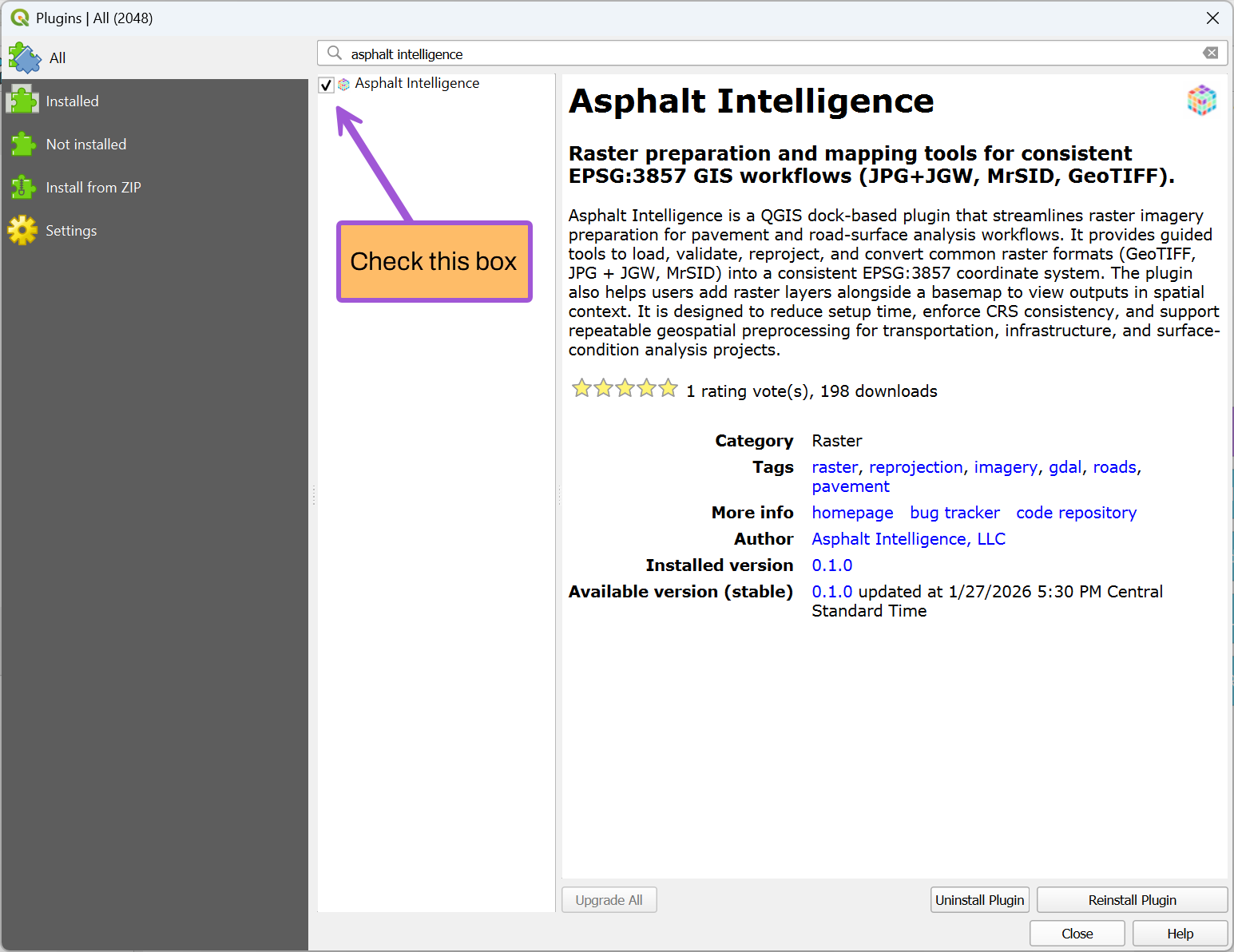
- Open QGIS and go to Plugins → Manage and Install Plugins .
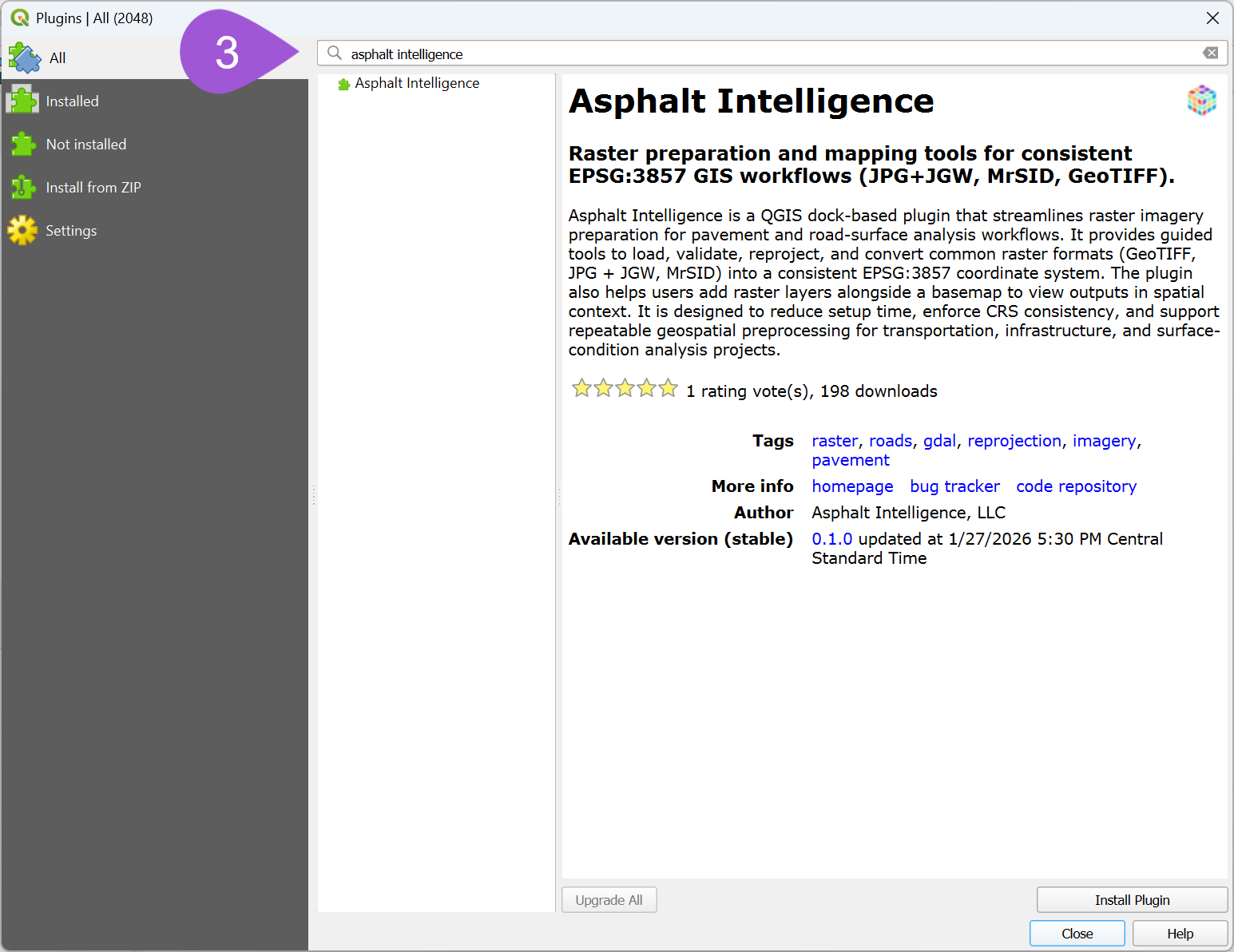
- Search for Asphalt Intelligence.
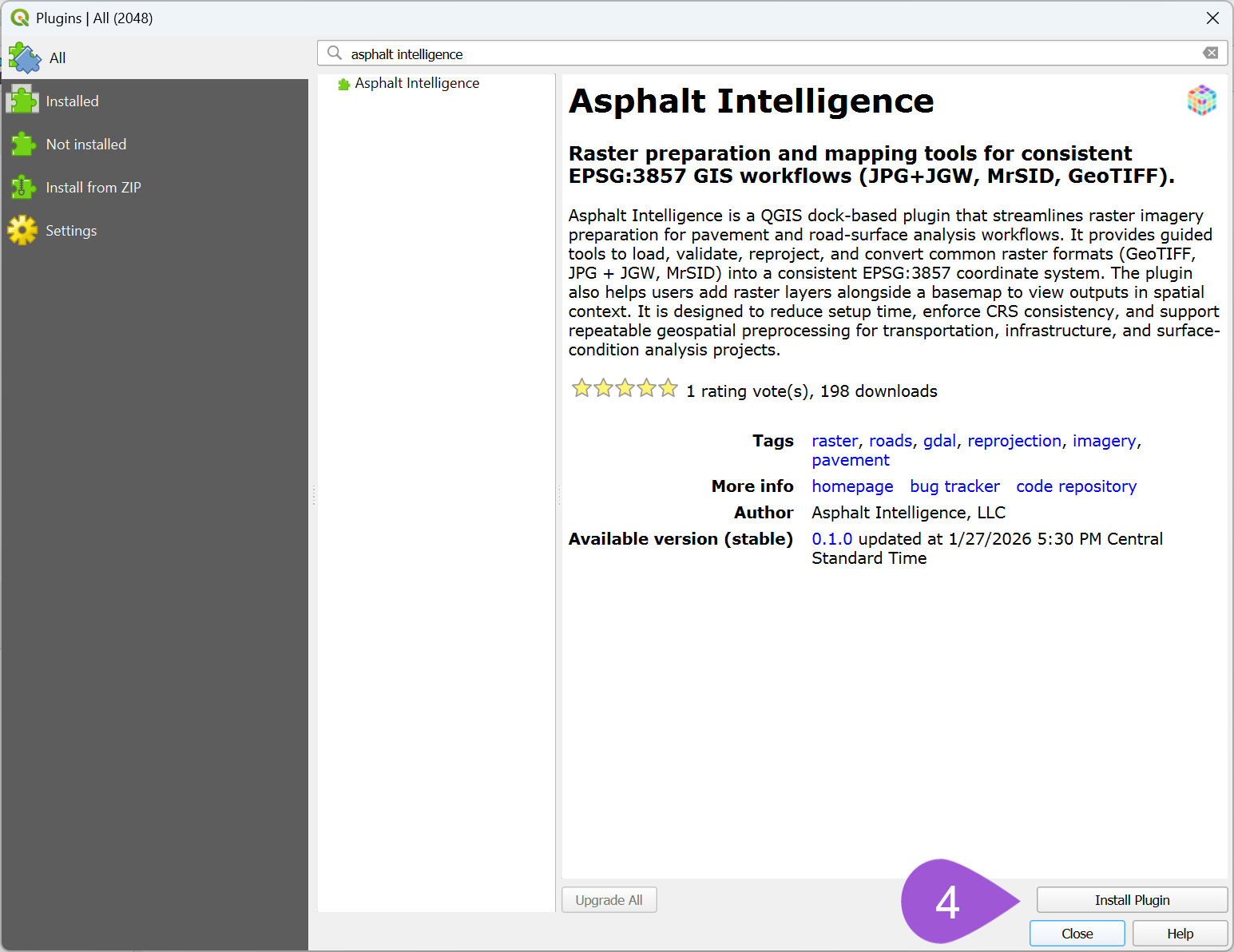
- Click Install Plugin.
- Launch the plugin from the QGIS toolbar or Plugins menu.
Make sure the checkbox next to Asphalt Intelligence is enabled so the plugin appears.
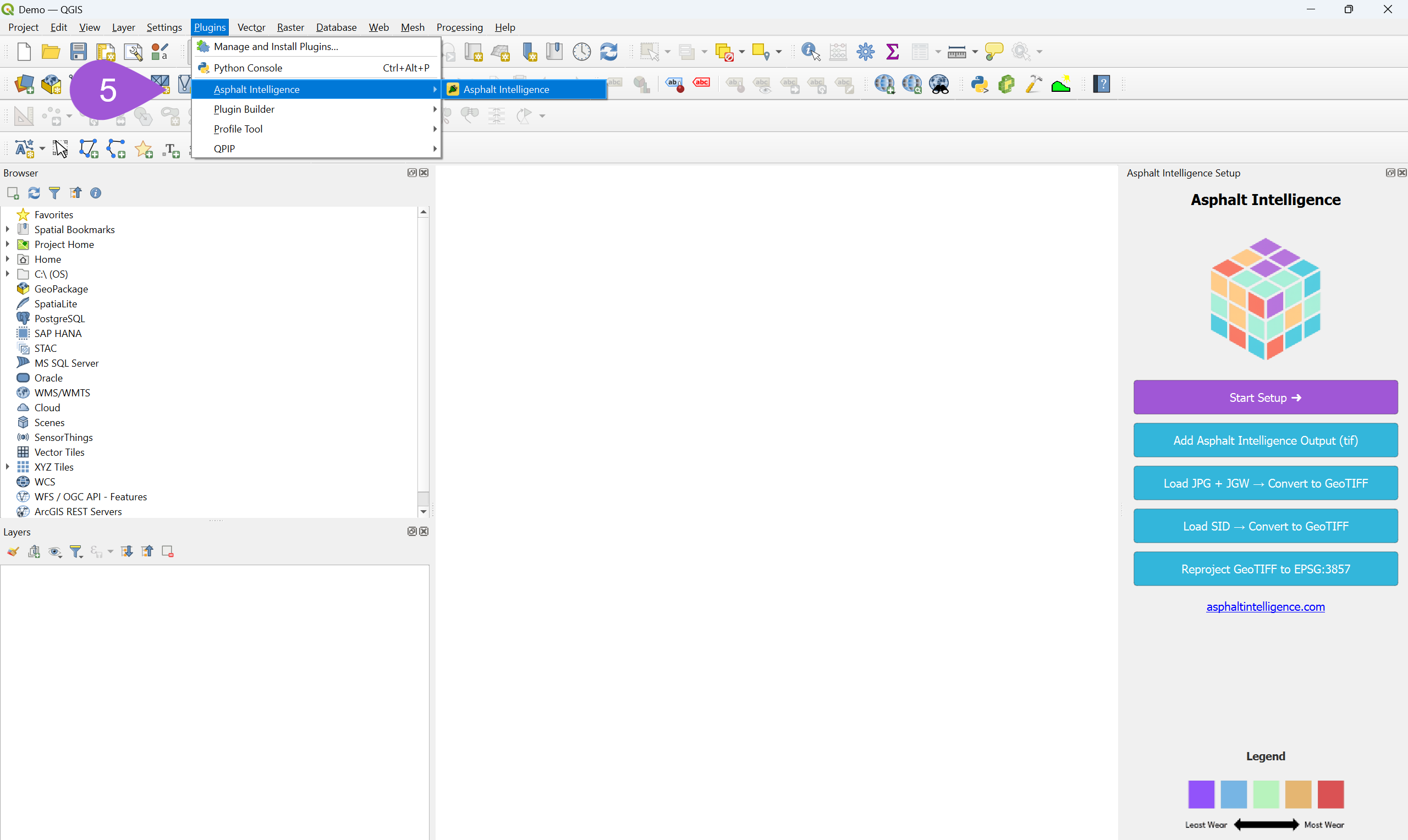
6. Open the Asphalt Intelligence dock and use the tools to:
- Set up an EPSG:3857 project
- Reproject imagery into Web Mercator
- Prepare images for processing
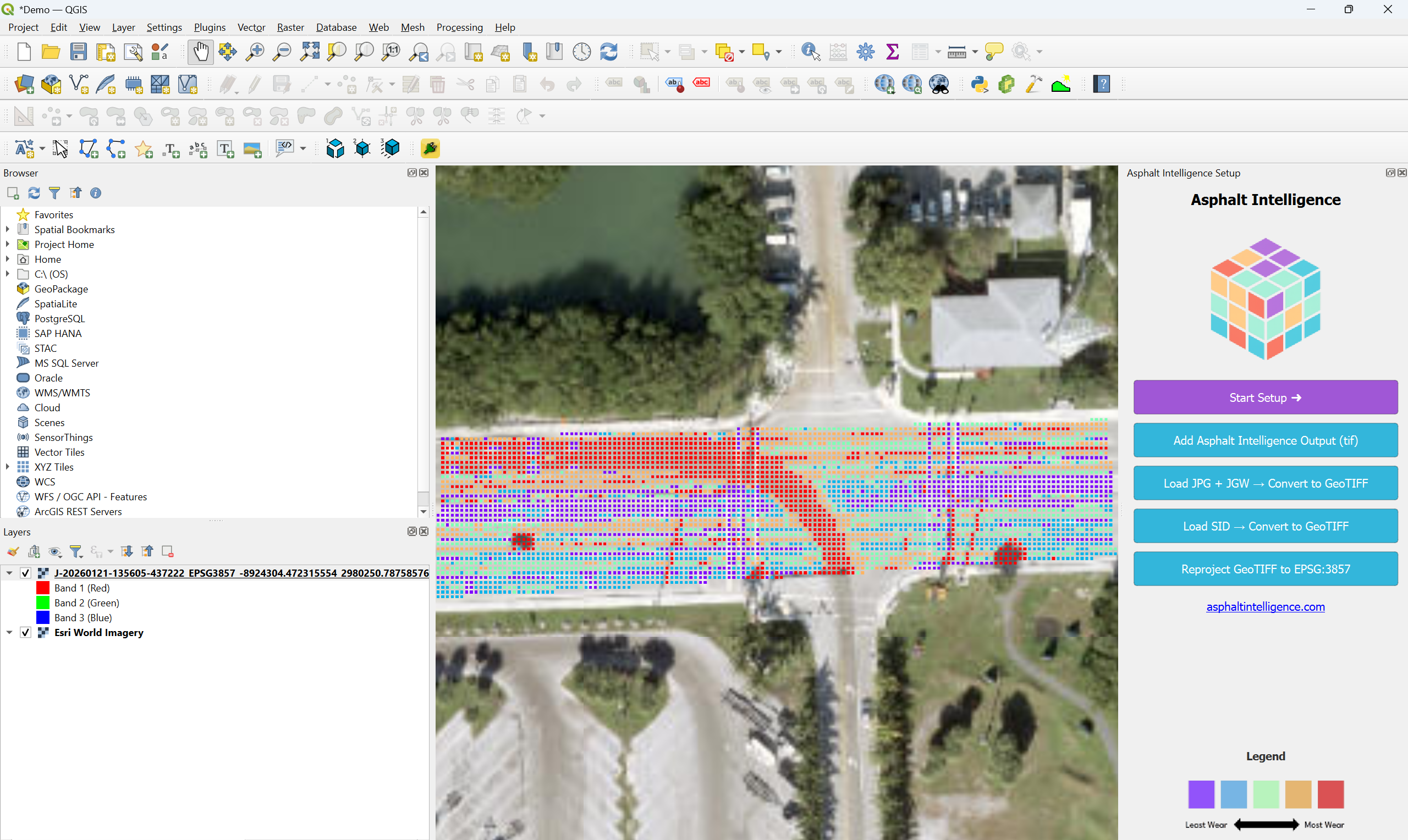
- Overlay output imagery with basemaps
About the Plugin
Asphalt Intelligence is a QGIS dock-based plugin that assists with preparing and visualizing raster imagery for road surface screener workflows.
The plugin provides guided tools to load, validate, reproject, and convert common raster formats into a consistent EPSG:3857 coordinate reference system. This helps users reduce setup time and enforce CRS consistency in GIS projects.
Features
- Guided EPSG:3857 project setup
- Raster validation and reprojection
- Support for common imagery formats:
- GeoTIFF
- JPG + JGW (world file)
- MrSID
- Easy addition of raster layers alongside a basemap for spatial context
- Designed for repeatable preprocessing workflows
Intended Use
This plugin is intended for use as an image analysis screener for road and highway projects where consistent raster reprojection and preparation are required prior to analysis or export.
Requirements
- QGIS 3.28 or newer
- GDAL (included with standard QGIS installations)
External Services
This plugin operates entirely within QGIS and does not require user accounts, authentication, or connections to external web services.
License
This plugin is licensed under the GNU General Public License v2 (GPL-2).