How It Works
Watch a brief introduction on how Asphalt Intelligence works.
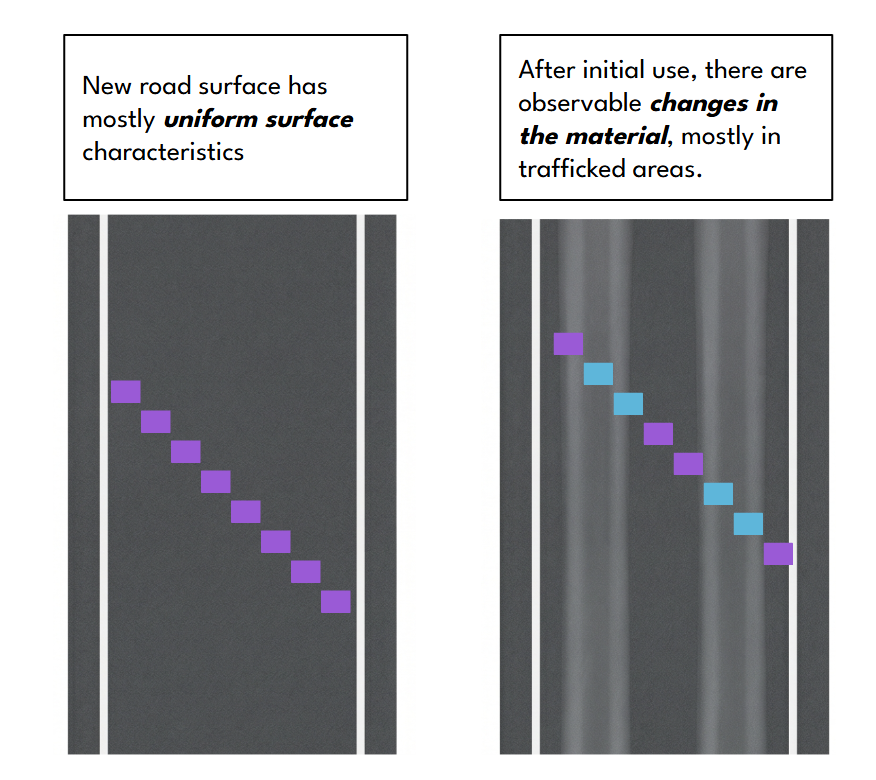
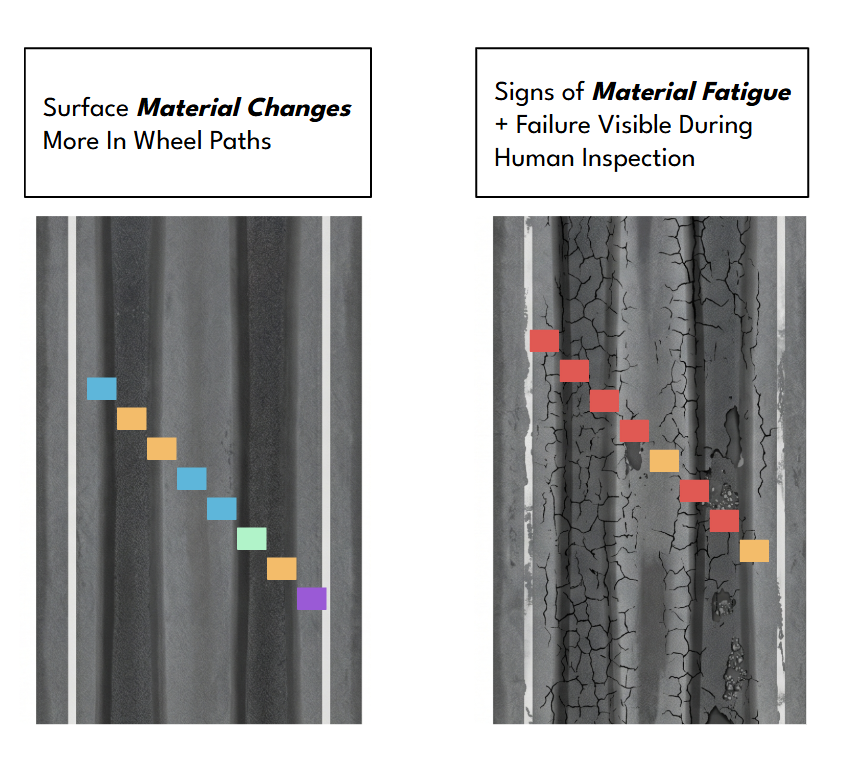
Color Scale
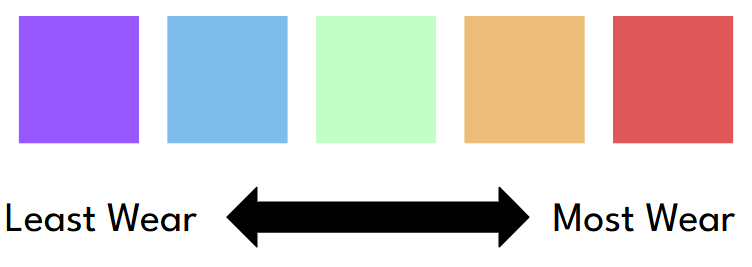
Asphalt Intelligence maps relative material fatigue using a calibrated color scale. Red areas indicate roadway segments that may warrant additional inspection.
Function
As vehicles repeatedly drive in the wheel paths, measurable material changes develop quickly in trafficked areas while adjacent pavement changes much more slowly. Over time, visible signs of wear and material fatigue emerge. The algorithm:
- • Measures differences between wheel paths and adjacent pavement using geodata
- • Maps roadway wear patterns based on trafficking patterns
- • Flags areas that may warrant field inspection with geoferrenced output in open data formats
- • Was calibrated using publicly available historic pavement testing and crash data and tested by experienced professional engineers
Impact
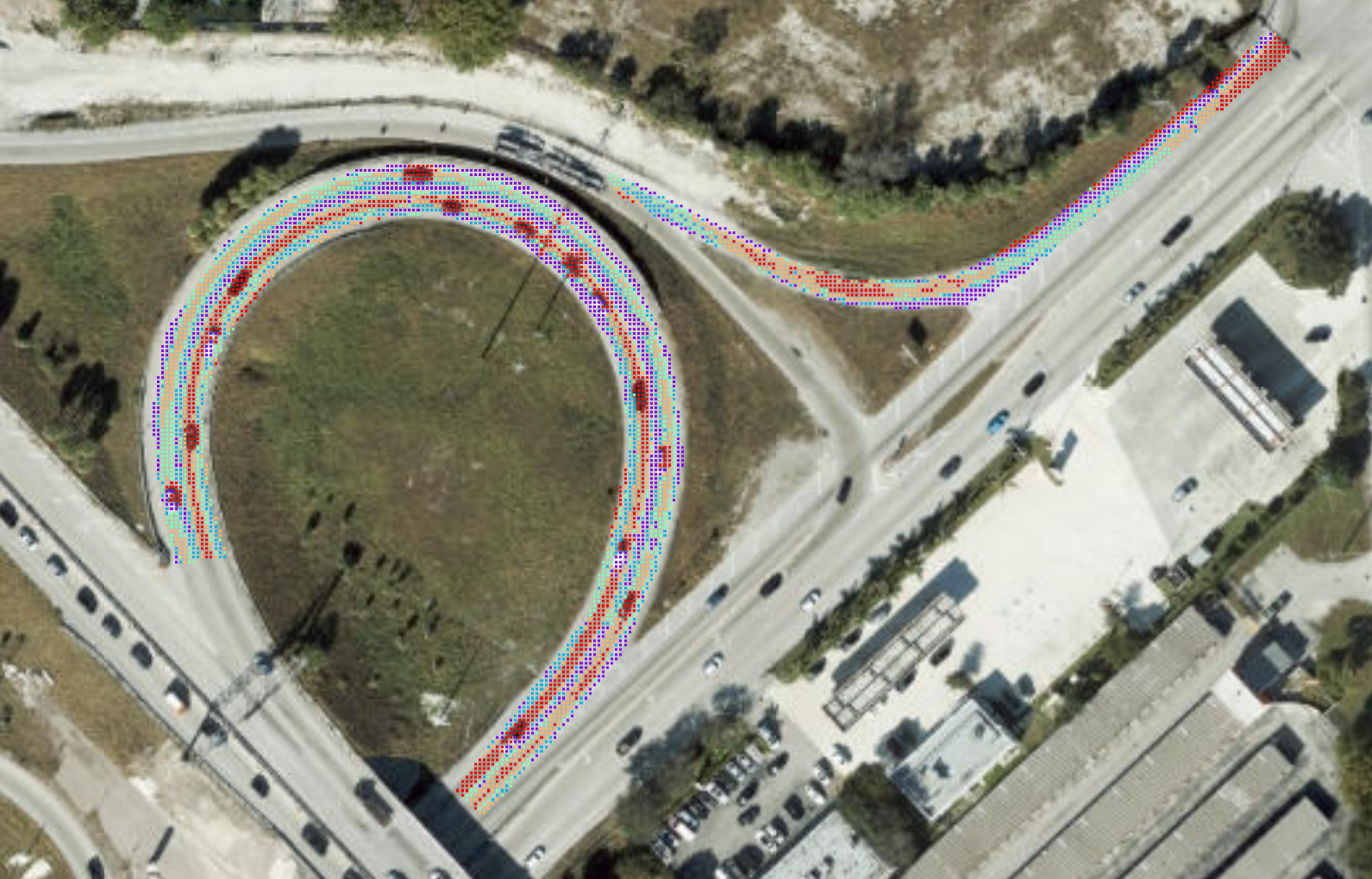
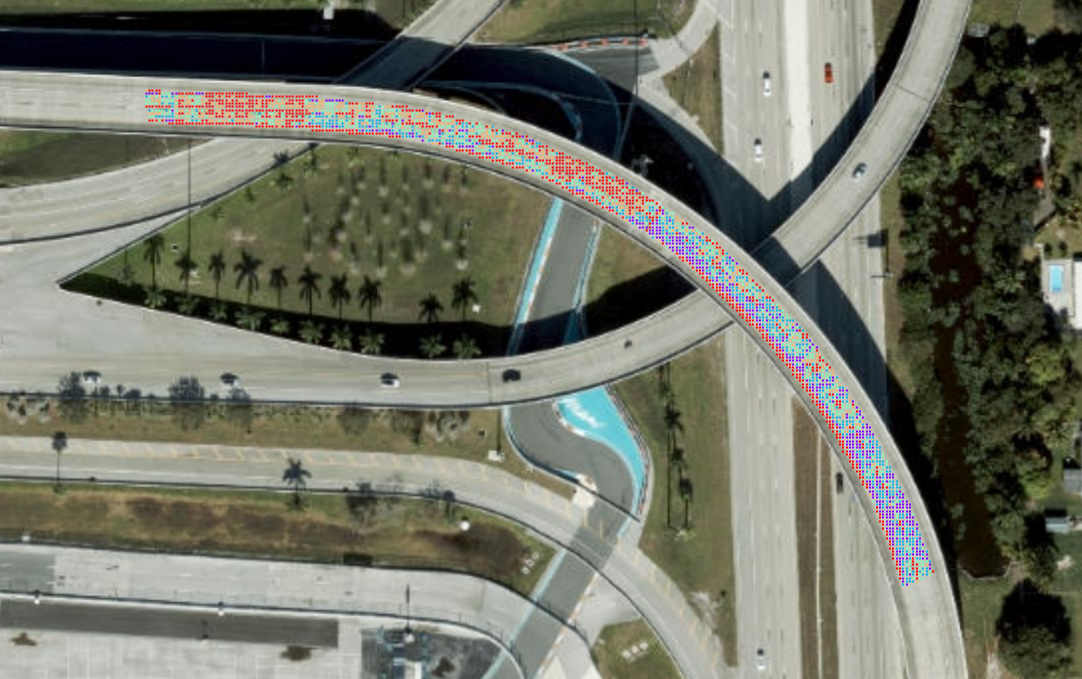
Nearly 5,700 people are killed and more than 544,700 people are injured in crashes on wet pavement annually. Benefits of increasing skid resistance from less than 50 to greater than 60 were associated with a 68% reduction in wet-road crashes. When considering curves only, the crash reduction was estimated to be 84%. Recommended focal points for Asphalt Intelligence screerning include roadways with superelevated horizontal curvature, high-speed turns with tight curves, loop ramps, and bridge approaches.
Features
- • No install required, browser-based and free to register
- • Remote roadway screening tool that works in seconds
- • Training materials short and easy to follow
- • Process open source images or process your own aerial imagery
- • Output in open data format, easily integrates with GIS and CAD
- • Free QGIS plugin makes it easy to prepare images or map output
- • Supports roadway safety, pavement management, and maintenance planning workflows